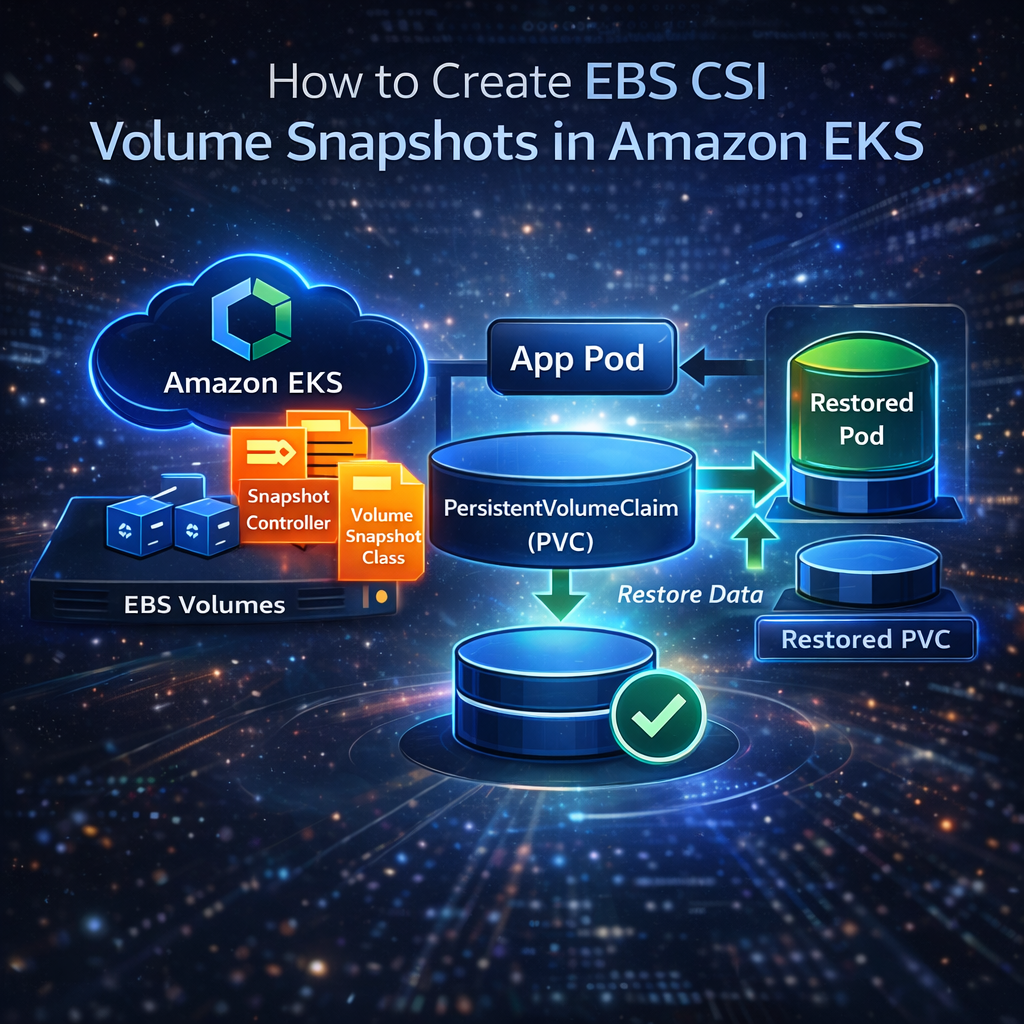
------------------------------------------------------------------------------------------------------------------------------------------------------------------------------------------------- <img src={require('./img/eks_post.png').default} alt="EKS EBS CSI snapshot" width="700" height="450"/> <br/> Creating snapshots of your persistent volumes in Amazon EKS using the EBS CSI driver is an essential step for **data backup and disaster recovery**. In this guide, we'll walk you through the complete process—from installing snapshot CRDs to restoring data into a new pod. --- ## What Is an EBS CSI Volume Snapshot? A **Volume Snapshot** is a point-in-time copy of your PersistentVolumeClaim (PVC) in Kubernetes. Using the **EBS Container Storage Interface (CSI) driver**, you can: - Backup critical application data - Restore PVCs quickly - Enable disaster recovery for stateful workloads in EKS Snapshots integrate with AWS EBS, making it easy to manage volume backups without manual intervention. For an overview of how volume snapshots work in EKS, see the [Kubernetes Volume Snapshot Documentation](https://kubernetes.io/docs/concepts/storage/volume-snapshots/). For teams managing production Kubernetes workloads, platforms like [nife’s AWS EKS cluster management solution](https://nife.io/solutions/add_aws_eks_clusters) help simplify cluster operations, storage lifecycle management, and backup strategies at scale. --- ## Step 1 — Install Volume Snapshot CRDs <img src={require('./img/ebs1.png').default} alt="Install EBS CSI Snapshot Components" width="700" height="450"/> First, install the **Custom Resource Definitions (CRDs)** for Kubernetes volume snapshots: ```bash kubectl apply -f https://raw.githubusercontent.com/kubernetes-csi/external-snapshotter/v6.3.0/client/config/crd/snapshot.storage.k8s.io_volumesnapshotclasses.yaml kubectl apply -f https://raw.githubusercontent.com/kubernetes-csi/external-snapshotter/v6.3.0/client/config/crd/snapshot.storage.k8s.io_volumesnapshotcontents.yaml kubectl apply -f https://raw.githubusercontent.com/kubernetes-csi/external-snapshotter/v6.3.0/client/config/crd/snapshot.storage.k8s.io_volumesnapshots.yaml ``` Verify installation: ```bash kubectl get crd | grep volumesnapshot ``` --- ## Step 2 — Install Snapshot Controller Install the **snapshot controller**, which manages snapshot creation and readiness: ```bash kubectl apply -f https://raw.githubusercontent.com/kubernetes-csi/external-snapshotter/v6.3.0/deploy/kubernetes/snapshot-controller/setup-snapshot-controller.yaml kubectl get pods -n kube-system | grep snapshot ``` --- ## Step 3 — Create VolumeSnapshotClass (AWS EBS) Create a file named `ebs-snapshot-class.yaml`: ```yaml apiVersion: snapshot.storage.k8s.io/v1 kind: VolumeSnapshotClass metadata: name: ebs-snapshot-class driver: ebs.csi.aws.com deletionPolicy: Delete ``` Apply the class: This defines how your snapshots will be created and deleted. ```bash kubectl apply -f ebs-snapshot-class.yaml kubectl get volumesnapshotclass ``` --- ## Step 4 — Ensure IAM Permissions for CSI Driver The **EBS CSI driver IAM role** must allow snapshot operations: ```json { "Effect": "Allow", "Action": [ "ec2:CreateSnapshot", "ec2:DeleteSnapshot", "ec2:DescribeSnapshots", "ec2:CreateTags", "ec2:DescribeVolumes" ], "Resource": "*" } ``` --- ## Step 5 — Create a Test PVC and Pod Create a test PVC (`test-pvc.yaml`): ```yaml apiVersion: v1 kind: PersistentVolumeClaim metadata: name: snapshot-test-pvc namespace: htto spec: accessModes: - ReadWriteOnce storageClassName: ebs-csi resources: requests: storage: 1Gi ``` Apply the PVC: ```bash kubectl apply -f test-pvc.yaml kubectl get pv -o yaml | grep ebs.csi.aws.com ``` Create a test pod (`test-pod.yaml`) to write data: ```yaml apiVersion: v1 kind: Pod metadata: name: snapshot-test-pod namespace: htto spec: containers: - name: app image: busybox command: ["sh", "-c", "sleep 3600"] volumeMounts: - mountPath: /data name: data volumes: - name: data persistentVolumeClaim: claimName: snapshot-test-pvc ``` Apply the pod: ```bash kubectl apply -f test-pod.yaml kubectl get pvc snapshot-test-pvc -n htto ``` --- ## Step 6 — Write Data Into the Volume ```bash kubectl exec -it snapshot-test-pod -n htto -- sh echo "hello snapshot" > /data/testfile.txt exit ``` --- ## Step 7 — Create a Volume Snapshot <img src={require('./img/ebs2.png').default} alt="Create and Manage EBS CSI Volume Snapshots" width="700" height="450"/> Create `snapshot.yaml`: ```yaml apiVersion: snapshot.storage.k8s.io/v1 kind: VolumeSnapshot metadata: name: snapshot-test namespace: htto spec: volumeSnapshotClassName: ebs-snapshot-class source: persistentVolumeClaimName: snapshot-test-pvc ``` Once snapshots are successfully created, organizations often integrate them into a broader cloud management workflow. Solutions like [nife’s hybrid cloud platform](https://nife.io/solutions) enable centralized visibility across Kubernetes clusters, cloud providers, and storage resources. Apply the snapshot: ```bash kubectl apply -f snapshot.yaml kubectl get volumesnapshot -n htto kubectl describe volumesnapshot snapshot-test -n htto ``` > If `Ready To Use` is `false`, ensure the **csi-snapshotter** container is running in your EBS CSI controller. Upgrading the Helm release often resolves this: ```bash helm repo update helm upgrade aws-ebs-csi-driver aws-ebs-csi-driver/aws-ebs-csi-driver \ -n kube-system \ --set controller.serviceAccount.annotations."eks\.amazonaws\.com/role-arn"=arn:aws:iam::814979595605:role/AmazonEKS_EBS_CSI_DriverRole dont use like this arn:aws:iam::<YOUR_AWS_ACCOUNT_ID>:role/AmazonEKS_EBS_CSI_DriverRole ``` --- ## Step 8 — Restore PVC from Snapshot <img src={require('./img/ebs3.png').default} alt="Restore Snapshot to New Pod" width="700" height="450"/> Create `restore-pvc.yaml`: ```yaml apiVersion: v1 kind: PersistentVolumeClaim metadata: name: restore-pvc namespace: htto spec: storageClassName: ebs-csi dataSource: name: snapshot-test kind: VolumeSnapshot apiGroup: snapshot.storage.k8s.io accessModes: - ReadWriteOnce resources: requests: storage: 1Gi ``` Apply it: ```bash kubectl apply -f restore-pvc.yaml ``` Create a pod (`restore-test.yaml`) using the restored PVC: ```yaml apiVersion: v1 kind: Pod metadata: name: restore-test namespace: htto spec: containers: - name: app image: nginx volumeMounts: - mountPath: "/data" name: restored-vol volumes: - name: restored-vol persistentVolumeClaim: claimName: restore-pvc ``` Verify your data is restored: ```bash kubectl exec -it restore-test -n htto -- cat /data/testfile.txt ``` You should see: ``` hello snapshot ``` The restore PVC size must be equal or larger than the snapshot size. ## Best Practices for EKS Volume Snapshots - Use `Retain` as the `deletionPolicy` for production snapshots to prevent accidental data loss. - Encrypt EBS volumes using AWS KMS to ensure data security and compliance. - Automate snapshot creation using tools like Velero or Kubernetes CronJobs. - Regularly test snapshot restores in staging environments to validate backup reliability. - Store snapshot metadata for auditing, compliance, and troubleshooting purposes. **Reference** Refer to the [AWS EKS EBS CSI Driver Documentation](https://docs.aws.amazon.com/eks/latest/userguide/ebs-csi.html) for setup and configuration details. --- ## Key Takeaways * **Volume snapshots** allow point-in-time backups of your PVCs in EKS. * The **EBS CSI driver** must include `csi-snapshotter` for snapshot functionality. * Always ensure **IAM permissions** are correctly configured. * Snapshots can be restored into new PVCs and pods, making them essential for backup and recovery. For production-ready storage and backup recommendations, see the [AWS EBS CSI Driver GitHub Repository](https://github.com/kubernetes-sigs/aws-ebs-csi-driver). For teams looking to implement this in production, explore [nife.io solutions](https://nife.io/solutions). --- For more on EKS storage best practices, check [AWS-EKS-EBS-CSI Documentation](https://docs.aws.amazon.com/eks/latest/userguide/ebs-csi.html). If you're operating multiple Kubernetes clusters across regions or cloud providers, [nife.io’s solutions](https://nife.io/solutions) can help with unify EKS management, automate backups, and enhance observability across environments.