Build Your Own Smart Plant Watering System with Raspberry Pi
Learn how to create a smart, self-watering plant system using Raspberry Pi, soil sensors, and Python. This guide covers everything from hardware setup to coding, testing, and extending your project with IoT features.

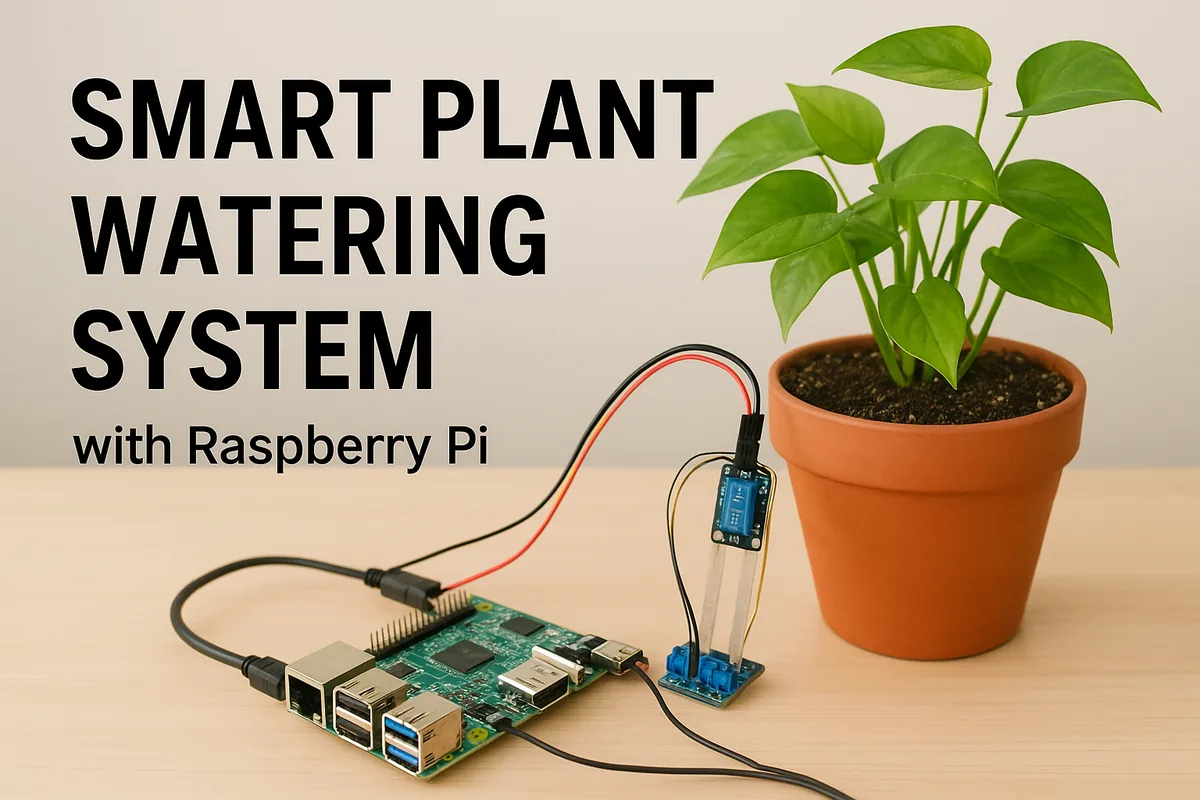
Technology is everywhere — from phones in our pockets to satellites in space. But some of the most exciting uses of technology happen in the simplest places: like a potted plant sitting in your home. What if your plant could tell you when it’s thirsty, and even water itself?
That’s exactly what we’ll build today: a Smart Plant Watering System powered by Raspberry Pi.
This blog is your all-in-one guide — we’ll cover everything:
- What Raspberry Pi is and why it’s perfect for DIY projects
- The parts you’ll need
- Step-by-step wiring setup
- Writing and understanding the Python code
- Testing, troubleshooting, and improving your project
- Fun extensions like cloud monitoring and smart notifications
By the end, you’ll not only have a plant that waters itself but also a solid understanding of how IoT (Internet of Things) projects work.
A Quick Intro: What’s Raspberry Pi?
The Raspberry Pi is a small, affordable computer the size of a credit card. Don’t let its size fool you — it can run a full operating system, connect to the internet, and control real-world devices through its GPIO (General Purpose Input/Output) pins.
Why it’s perfect for this project:
- It runs Python (a beginner-friendly language).
- It can talk to sensors and motors.
- It’s energy-efficient, so it can run all day.
- It helps bridge software and hardware in a hands-on way.
Think of it as the “brain” of your smart watering system.
What You’ll Need
Here’s the shopping list for your project. Most of these parts are inexpensive and widely available online or in electronics shops:
- Raspberry Pi (Model 3, 4, or even a Pi Zero with GPIO will work)
- MicroSD card (16GB or more, with Raspberry Pi OS installed)
- Soil moisture sensor (capacitive sensors are more reliable than resistive ones)
- Mini water pump or a servo motor with a drip system
- Relay module (to safely control the pump using Raspberry Pi)
- Jumper wires & breadboard
- USB power supply for the Raspberry Pi
- Plastic tubing (to carry water from the pump to the plant)
- A plant in a pot
Optional (but highly recommended):
- LCD or OLED display (to show soil moisture levels)
- Buzzer/LED (to signal when the soil is dry)
- Wi-Fi dongle (if your Pi doesn’t already have Wi-Fi)
Step 1: Setting Up the Raspberry Pi
Before we connect sensors, let’s get the Raspberry Pi ready.
-
Install Raspberry Pi OS Flash the OS onto your microSD card using Raspberry Pi Imager. Insert the card into your Pi, connect monitor, keyboard, and power.
-
Update the System
sudo apt update && sudo apt upgrade -y -
Enable GPIO Run
sudo raspi-config, go to Interface Options, and enable GPIO. -
Install Python libraries
sudo apt install python3-rpi.gpio sudo apt install python3-pip pip3 install adafruit-circuitpython-dht
Now the Pi is ready to be the brain of your watering system.
Step 2: Wiring the Sensor and Pump
Connecting the Soil Moisture Sensor
- VCC → 3.3V on Raspberry Pi
- GND → Ground
- Data/Analog Out → GPIO pin (we’ll use GPIO17)
Connecting the Pump via Relay
The Raspberry Pi cannot directly power the pump, so we use a relay as a “switch.”
- Relay IN → GPIO27
- Relay VCC → 5V
- Relay GND → Ground
- Pump + → Relay output
- Pump – → Ground
⚙ Important: Double-check your connections. A wrong wire can damage the Pi.
Step 3: Writing the Python Code
import RPi.GPIO as GPIO
import time
# Pin setup
SENSOR_PIN = 17 # Soil moisture sensor pin
PUMP_PIN = 27 # Relay + pump pin
GPIO.setmode(GPIO.BCM)
GPIO.setup(SENSOR_PIN, GPIO.IN)
GPIO.setup(PUMP_PIN, GPIO.OUT)
print("Smart Plant Watering System Started...")
try:
while True:
soil_state = GPIO.input(SENSOR_PIN)
if soil_state == 0: # Dry soil
print("Soil is dry → Watering plant...")
GPIO.output(PUMP_PIN, True)
time.sleep(5) # Run pump for 5 sec
GPIO.output(PUMP_PIN, False)
print("Watering complete")
else:
print("Soil is wet → No need to water.")
time.sleep(10) # Check every 10 sec
except KeyboardInterrupt:
print("Exiting program...")
GPIO.cleanup()
Step 4: Testing Your Project
-
Run the script:
python3 water_plant.py -
Insert the sensor into dry soil → the pump should start.
-
Water the soil → the sensor should detect wetness and stop the pump.
Troubleshooting Tips
-
Pump not starting? Check relay wiring and make sure the pump power source is strong enough.
-
Sensor gives wrong values? Test it in a cup of water vs. dry air to confirm.
-
Script errors? Make sure libraries are installed and GPIO pin numbers match your wiring.
Fun Extensions
- LCD/OLED Display → Show “Soil Moisture: Dry/Wet” in real time.
- Email or Telegram Alerts → Send notifications when soil is dry.
- Web Dashboard → Host a small Flask app on the Pi to view soil data remotely.
- Multiple Plants → Use multiple sensors and pumps.
- Solar Power → Make your project eco-friendly and fully automated outdoors.
Learn more about integrating sensors and building smart devices with resources like Adafruit’s tutorials or explore hosting your web dashboard on nife.io.
Real-World Applications
This small project mirrors real-world smart farming technologies:
- Large farms use soil sensors and automated irrigation.
- Smart gardens in homes use IoT for plant care.
- Environmental projects use similar setups to monitor forests.
By building this, you’re stepping into the world of IoT, automation, and sustainable technology.
Conclusion
You just built a Smart Plant Watering System with Raspberry Pi!
Along the way, you learned how to:
- Connect hardware (sensors, pumps, relays) to Raspberry Pi.
- Write Python code to automate tasks.
- Test, troubleshoot, and extend your project.
This is more than a fun DIY — it’s a stepping stone into IoT development, where technology interacts with the physical world.
So next time your plant looks extra green and happy, you’ll know why: your Raspberry Pi just saved the day.
visit nife.io and explore solutions to deploy containerized applications at nife.io/solutions/deploy_containarized_apps.
From the team at Nife
Deploy your next app in minutes, not days.
Nife is a multi-cloud edge platform that lets you deploy, scale, and manage applications globally without the infrastructure headache.