From x86_64 to ARM64: What I Discovered at Nife During Our AWS Graviton Investigation
What I discovered while investigating AWS Graviton, ARM64 compatibility, EC2 instance families, Docker multi-platform builds, Buildx, QEMU, and the practical do's and don'ts of moving workloads from x86_64 to ARM64.

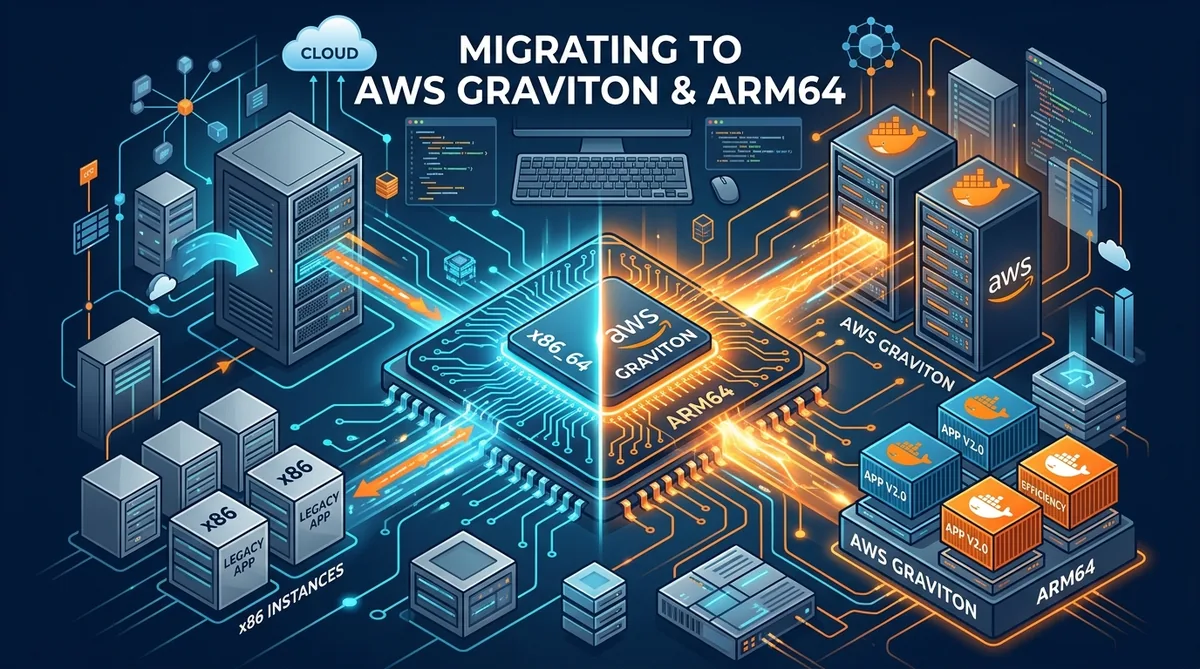
At Nife, we are continuously looking at ways to make our deployment infrastructure more efficient, including evaluating AWS Graviton-based ARM64 instances. Nife is a deployment platform, so our infrastructure needs to support different application workloads, containers, databases, websites, and build environments.
While looking at AWS Graviton, I initially approached it as an EC2 instance-selection and cost question. But as I investigated further, I found that the more important question was:
What actually changes when the CPU architecture changes?
At first, moving from one EC2 instance to another can look simple. You have an EC2 instance running on:
x86_64
The application works. The Docker containers work. The CI/CD pipeline works. Everything is stable.
Then the question comes:
Why don't we move this workload to AWS Graviton?
The first thought might be:
Stop EC2 ↓ Change instance type ↓ Start EC2 ↓ Done
For some workloads, that may be enough. But during my investigation at Nife, I found an important distinction:
Moving from one x86_64 instance to another x86_64 instance is primarily an instance-generation or capacity change. Moving from x86_64 to Graviton ARM64 is an architecture change.
That difference can affect:
Application binaries
Docker images
Native dependencies
Build systems
CI/CD pipelines
Kubernetes workloads
Monitoring tools
Security agents
Third-party software
So I started looking beyond the EC2 instance itself. This article documents what I discovered while investigating AWS Graviton, how I looked at ARM64 compatibility, why AWS has so many different EC2 instance types, what I would check before moving a workload to Graviton, and the practical do's and don'ts I identified during the investigation.
Table of Contents
- The Real Problem: Graviton Is an Architecture Change
- What Is AWS Graviton?
- Why Does AWS Have So Many EC2 Instance Types?
- Understanding the EC2 Naming Convention
- x86_64 vs ARM64: What Actually Changes?
- What I Checked During the Investigation
- Graviton Migration Do’s
- Graviton Migration Don’ts
- Docker Images: One of the First Things to Check
- Buildx, QEMU, and Multi-Platform Builds
- Native ARM64 vs QEMU vs Cross-Compilation
- When a Simple Instance-Type Change Is Enough
- Why AWS Has Different Generations
- How I Would Choose an EC2 Instance
- Migration Checklist
- Common Migration Mistakes
- FAQ
- What I Learned From the Investigation
- Conclusion
- Further Reading
1. The Real Problem: Graviton Is an Architecture Change
One of the first things I wanted to establish was the difference between changing an EC2 instance generation and changing CPU architecture.
Many traditional EC2 instances use:
x86_64
These can be powered by Intel or AMD processors.
AWS Graviton instances use:
ARM64
For example, consider:
t2.medium ↓ t3.medium
versus:
t2.medium ↓ t4g.medium
The first example stays within the x86_64 architecture.
The second example changes:
x86_64 ↓ ARM64
That is a much more significant change from an application compatibility perspective.
This became one of the main things I focused on during the investigation.
Instead of asking only:
“Can this EC2 instance run our application?”
I found it was better to ask:
“Can the complete software stack running on this instance operate correctly on ARM64?”
That means checking more than the EC2 instance. The complete environment can look like:
Application ↓ Runtime ↓ Libraries ↓ Native dependencies ↓ Docker image ↓ Build system ↓ CI/CD ↓ Deployment platform ↓ Production infrastructure
If any part of this chain depends on x86_64, the architecture migration needs additional work.
2. What Is AWS Graviton?
AWS Graviton is AWS’s family of Arm-based processors used in EC2 instances.
Graviton-based instances are available across multiple EC2 families, including general-purpose, compute-optimized, memory-optimized, and other workload categories.
A simplified view is:
AWS EC2
|
+----------------------+
| |
x86_64 ARM64
Intel/AMD Graviton
| |
M/T/C/R M/T/C/R
One important thing I discovered during the investigation is that Graviton is not an application platform by itself. It is a processor architecture choice.
The application still needs to be compatible with:
- Operating system
- CPU architecture
- Runtime
- Libraries
- Native binaries
- Containers
- Build tools
- Deployment tooling
For a deployment platform such as Nife, this becomes particularly important because the infrastructure can be responsible for many different workloads rather than one application. That means architecture compatibility cannot be treated as an afterthought.
3. Why Does AWS Have So Many EC2 Instance Types?
One of the questions I had while investigating EC2 was: Why does AWS need so many different instance families? Why not simply have:
small medium large xlarge
The reason became clearer when I looked at the way applications consume resources. Not every workload needs the same type of resources:
- One workload may be CPU-heavy
- Another may be Memory-heavy
- Another may be Storage-intensive
- Another may require GPU / specialized accelerators
- Another may need Low baseline CPU + Occasional CPU bursts
So AWS provides different instance families for different workload characteristics.
The important distinction I took away from this was:
- Instance family answers “what kind of workload is this?”
- Architecture answers “what processor architecture should run it?”
- Instance size answers “how much capacity do I need?”
These are separate decisions.
General Purpose (T, M)
These are intended for balanced workloads:
- Web applications
- APIs
- Development environments
- Small and medium application servers
- General-purpose workloads
Burstable Performance (T)
The T family is designed for workloads that typically have a lower baseline CPU requirement but occasionally need additional CPU capacity:
Normal usage ↓ Low / moderate CPU ↓ Traffic spike ↓ CPU burst
This makes burstable instances useful for workloads that do not continuously require high CPU capacity.
Compute Optimized (C)
These are intended for workloads where CPU performance is particularly important:
- Batch processing
- High-performance web servers
- Media processing
- Scientific workloads
- Compute-heavy services
Memory Optimized (R, X)
These are designed for workloads requiring large amounts of memory:
- In-memory databases
- Large data processing
- Analytics
- Memory-intensive enterprise applications
Storage Optimized (I, D)
These are intended for workloads that require high local storage performance and I/O.
Accelerated Computing (G, P, Inf, Trn)
These use specialized hardware for workloads such as graphics processing, machine learning, inference, and training.
High-Performance Computing
AWS also provides HPC-focused instance families for highly compute-intensive workloads.
A useful way to think about it is:
Workload
|
+---- CPU-heavy → Compute optimized
+---- Memory-heavy → Memory optimized
+---- Balanced → General purpose
+---- Bursty → Burstable
+---- Storage-heavy → Storage optimized
+---- Accelerator → Accelerated computing
Only after identifying the workload should I start comparing architectures and instance sizes.
4. Understanding the EC2 Naming Convention
Consider this instance:
t4g.medium
The name contains useful information:
t 4 g . medium
│ │ │ │
│ │ │ └── Size
│ │ └───────────── Processor/platform variant (g = Graviton)
│ └──────────────────── Generation
└─────────────────────────── Family
t: The instance family (burstable-performance).4: The generation.g: Identifies the Graviton-based variant.medium: The instance size (t4g.small,t4g.medium,t4g.large,t4g.xlarge).
This helped me understand why looking only at an instance name can be misleading. For example:
t3.medium vs t3a.medium vs t4g.medium
All contain medium, but they are not identical instances. The processor platform and generation differ.
So I would not select an EC2 instance simply by comparing hourly prices. I would consider:
- Workload
- CPU architecture
- CPU requirements
- Memory requirements
- Storage requirements
- Network requirements
- Application compatibility
- Performance
- Total cost
5. x86_64 vs ARM64: What Actually Changes?
At a high level:
x86_64 ------- Intel / AMD (Traditional server architecture)
ARM64 ------- AWS Graviton (Arm-based architecture)
One thing I found important during the investigation is that application source code and application binaries are not always the same thing from an architecture perspective.
An application written in Python, Java, Go, or JavaScript may be portable. But the application may depend on architecture-specific components:
Application
|
+-- Python
+-- Native C extension
+-- Shared library
+-- Native executable
+-- Docker base image
For example, "Application is written in Go" does not automatically mean "Application is ready for ARM64". The build process and dependencies still need to be checked.
Architecture compatibility needs to be checked across the software supply chain, not just in the application source code.
6. What I Checked During the Investigation
I broke the investigation into several practical checks.
6.1 Check the Current Server Architecture
The first check is simple:
uname -m
An x86_64 server typically returns x86_64. An ARM64/Graviton server typically returns aarch64. I found it useful to explicitly verify the architecture rather than assuming it from the EC2 instance type.
6.2 Check Application Binaries
If an application produces a native executable, architecture matters:
file ./application
# ELF 64-bit LSB executable, x86-64
That binary cannot simply be copied to an ARM64 server and expected to run. For Go applications, I can explicitly build for ARM64:
GOOS=linux GOARCH=arm64 go build -o application
And for AMD64:
GOOS=linux GOARCH=amd64 go build -o application
The target architecture becomes an explicit part of the build process.
6.3 Check Docker Images
A Docker image is not automatically architecture-independent. I can inspect a local image with:
docker image inspect IMAGE_NAME --format '{{.Architecture}}'
If the result is amd64, the image is built for AMD64. For images in a registry, I inspect the manifest:
docker buildx imagetools inspect IMAGE:TAG
For a multi-platform image, I expect to see variants such as linux/amd64 and linux/arm64. If it only provides linux/amd64, there is no native ARM64 variant available.
6.4 Check Native Dependencies
I also need to look beyond the application itself:
- C/C++ libraries
- Native Node.js modules
- Python C extensions
- Precompiled binaries
- System packages
- Database drivers
- Monitoring agents
- Security agents
- Third-party tools
A dependency that works on x86_64 may require an ARM64-compatible package or a different build.
6.5 Check the CI/CD Pipeline
The architecture of the build environment also matters. If a pipeline currently produces only linux/amd64, it needs to be updated to build multi-platform artifacts:
docker buildx build \
--platform linux/amd64,linux/arm64 \
-t registry.example.com/myapp:latest \
--push .
6.6 Check the Complete Software Stack
I would check: Application, Docker, Kubernetes, Build pipeline, Monitoring, Logging, Security tooling, Deployment scripts, and Third-party dependencies.
6.7 Prepare Rollback
A simplified approach is:
Existing x86_64 environment
|
+---- Backup / AMI / configuration
+---- ARM64 test environment
↓
Compatibility testing
7. Graviton Migration Do’s
- Do 1: Identify the Architecture First: Run
uname -m. Record the result. Do not assume. - Do 2: Test on a Separate ARM64 Instance: Replicate configuration in an ARM64 test environment before touching production.
- Do 3: Build Native ARM64 Artifacts: If producing native binaries, build explicitly for ARM64 (e.g.,
GOOS=linux GOARCH=arm64 go build .). - Do 4: Build Multi-Platform Docker Images: Use Docker Buildx with
--platform linux/amd64,linux/arm64. - Do 5: Test Both Architectures: Maintain CI pipelines that validate both
amd64andarm64variants. - Do 6: Monitor After Migration: Track CPU utilization, Memory utilization, Disk I/O, Network throughput, Latency, Container restarts, and Error rates.
8. Graviton Migration Don’ts
- Don’t 1: Don’t Assume an Instance-Type Change Is Enough:
t2.medium → t4g.mediummeansx86_64 → ARM64. - Don’t 2: Don’t Assume Every Docker Image Supports ARM64: Inspect images with
docker buildx imagetools inspect. - Don’t 3: Don’t Copy an x86 Binary to an ARM Server: Avoid
Exec format error. Build for the target architecture. - Don’t 4: Don’t Use QEMU as the First Solution for Everything: Emulation is not native execution. For compilation-heavy workloads, native ARM64 builders are significantly faster.
- Don’t 5: Don’t Test Only the Application: Test monitoring, logging, and security agents too.
- Don’t 6: Don’t Compare Only EC2 Hourly Pricing: Consider total cost (EBS, data transfer, build times, engineering effort).
9. Docker Images: One of the First Things to Check
Suppose I have myapp:1.0 containing linux/amd64. On an x86_64 server it works, but on an ARM64 host it results in an architecture mismatch.
A multi-platform image instead looks like:
myapp:1.0
├── linux/amd64
└── linux/arm64
Then:
AMD64 server ↓ linux/amd64
ARM64 server ↓ linux/arm64
The image reference remains the same while the host pulls the appropriate platform variant.
10. Buildx, QEMU, and Multi-Platform Builds
During the investigation, I looked at three common approaches for multi-platform builds:
Option 1: QEMU Emulation
QEMU can be registered with Docker using binfmt:
docker run --privileged --rm tonistiigi/binfmt --install all
docker buildx build --platform linux/amd64,linux/arm64 -t myimage:latest --push .
Convenient, but compilation-heavy workloads become slower under emulation.
Option 2: Multiple Native Builders
Using dedicated native nodes for each architecture:
AMD64 builder |
+---> Buildx builder
ARM64 builder |
Avoids emulation overhead at the expense of managing more infrastructure.
Option 3: Cross-Compilation
For supported languages like Go or Rust:
GOOS=linux GOARCH=arm64 go build .
Fast and lightweight, provided there are no unported CGO/native dependencies.
11. Native ARM64 vs QEMU vs Cross-Compilation
| Approach | Native? | Main Advantage | Main Concern |
|---|---|---|---|
| Native ARM64 | Yes | Native ARM64 execution and performance | Requires ARM64 infrastructure |
| QEMU | No | Convenient multi-platform support | Can be slower for heavy builds |
| Cross-compilation | Build-dependent | Efficient for supported languages | Not suitable for every workload |
| Multiple native builders | Yes | Strong multi-platform build performance | More infrastructure to manage |
12. When a Simple Instance-Type Change Is Enough
Not every workload requires complex migration:
- Straightforward: An Ubuntu + Nginx stack serving static HTML/CSS/JS with no native binaries.
- Complex: Stacks with custom C extensions, precompiled x86 binaries, or x86-only monitoring agents.
13. Why AWS Has Different Generations
T2 | older x86-based generation
T3 | x86-based burstable generation
T3a | AMD x86-based variant
T4g | AWS Graviton ARM64 variant
Different generations provide updated processor technologies, price-performance ratios, and architecture options.
14. How I Would Choose an EC2 Instance
- What architecture do I need? (
x86_64orARM64) - What resource is limiting the workload? (CPU, Memory, Storage, Network, GPU)
- Is the workload bursty? (T family vs M/C family)
- Does the software support ARM64? (App, Docker, dependencies, CI/CD, monitoring)
- What does testing show? (Performance, cost, build duration, latency)
15. Migration Checklist
- Check current CPU architecture (
uname -m) - Record current instance type
- Check CPU and memory utilization
- Identify architecture-specific binaries
- Check Docker image architectures
- Check native dependencies
- Check CI/CD build architecture
- Check monitoring and security agents
- Prepare an ARM64 test environment
- Build native ARM64 artifacts
- Build multi-platform Docker images
- Test application startup and functionality
- Monitor performance and verify error rates
- Prepare rollback plan before production migration
16. Common Migration Mistakes
- Treating Graviton as just another instance size (
t2.medium → t4g.mediumis an architecture change). - Checking only the application source code while ignoring native dependencies.
- Forgetting Docker base images that may only support
linux/amd64. - Building only one architecture instead of multi-platform images.
- Running heavy builds entirely through QEMU instead of using native ARM64 runners.
- Migrating production before staging/testing.
17. FAQ
Is every AWS Graviton instance ARM64?
Yes, Graviton instances are Arm-based processors.
Is t4g.medium simply a cheaper t3.medium?
No. t3 is x86-based, while t4g is Graviton/ARM64. Moving between them is an architectural transition.
Can an AMD64 Docker image run on ARM64?
Not natively. It requires emulation (like QEMU or Rosetta 2), which introduces performance overhead.
Can one Docker image support both AMD64 and ARM64?
Yes, via multi-platform manifests created with Docker Buildx.
18. What I Learned From the Investigation
The most important takeaway: instance migration and workload migration are two different things.
The goal is not simply "move the server to ARM64", but rather:
Make the infrastructure and software supply chain architecture-aware.
When the build pipeline produces both linux/amd64 and linux/arm64 artifacts cleanly, moving between CPU architectures becomes straightforward.
19. Conclusion
Graviton migration is an architecture decision first and an instance-size decision second.
For a deployment platform like Nife, this is essential because the platform handles diverse customer workloads. By designing build pipelines and infrastructure to be multi-architecture aware, developers can capture Graviton’s cost and performance benefits without unexpected production issues.
Further Reading
- AWS Graviton Overview
- AWS EC2 Instance Types
- Docker Buildx Multi-Architecture Guide
- Nife Documentation
- Deploy on Nife: launch.nife.io
© Nife — Deploy applications without managing infrastructure complexity
From the team at Nife
Deploy your next app in minutes, not days.
Nife is a multi-cloud edge platform that lets you deploy, scale, and manage applications globally without the infrastructure headache.